What is safe to delete
Twenty-nine rules across eight categories
What is safe to delete
Finding the big folders is only half of it. The question that actually matters is which of them you can delete without regretting it, and that is a question about what each folder is for, not how big it is.
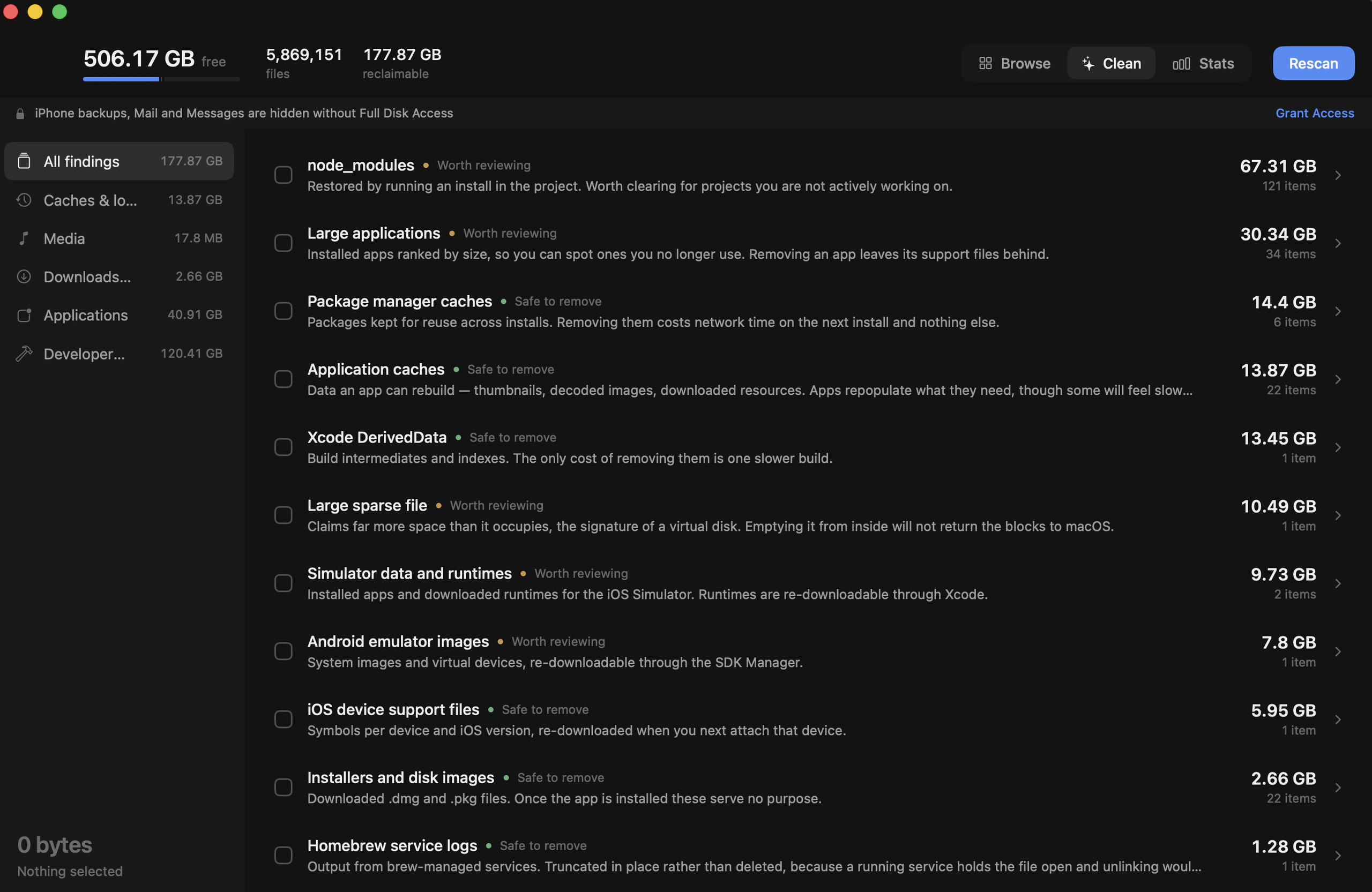
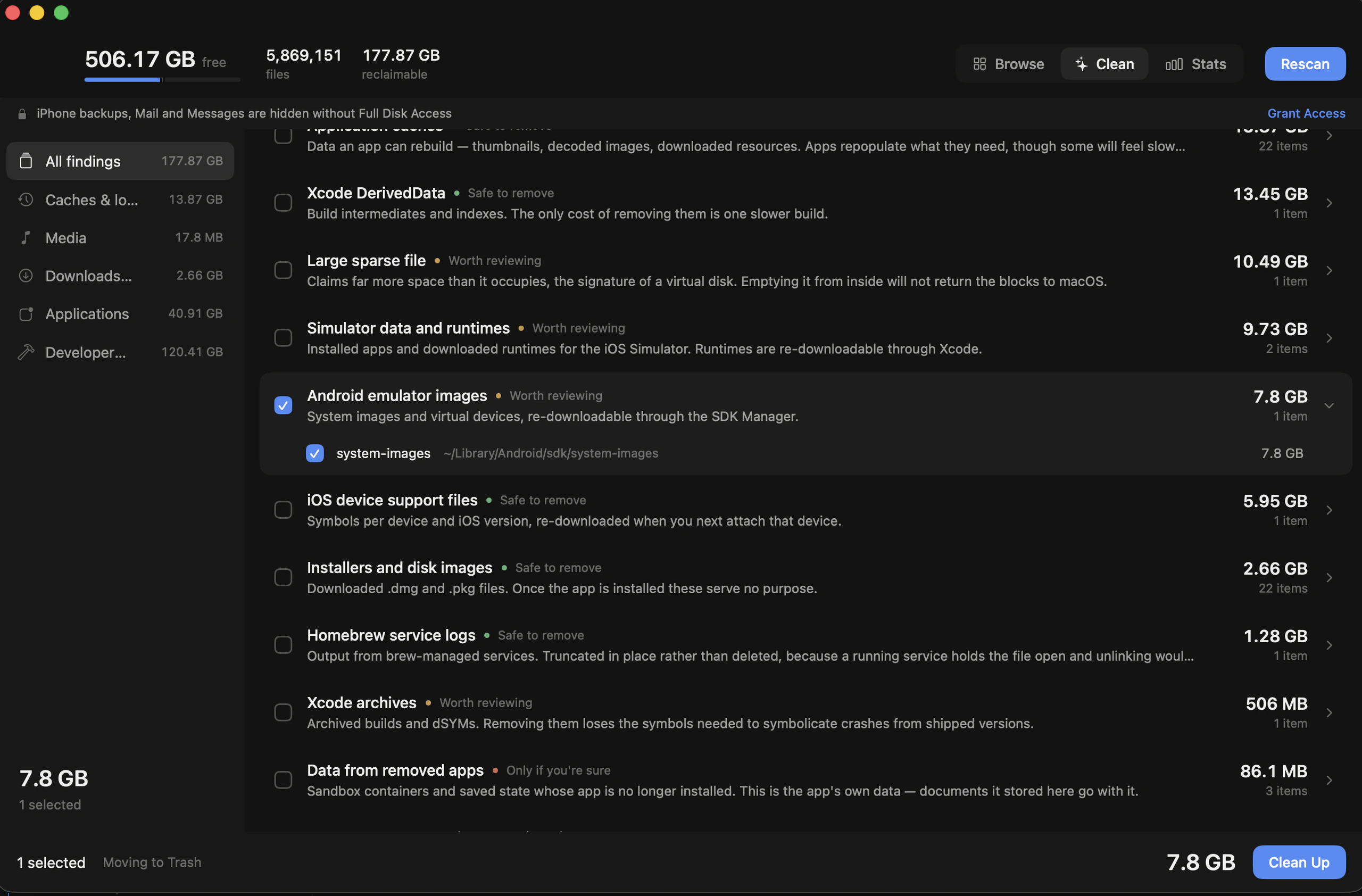
So the second half of the app is a set of twenty-nine rules across eight categories, each one a description of a specific thing that accumulates: Xcode DerivedData, iOS device support files, simulator runtimes, Android system images, package manager caches, downloaded installers, crash reports, sleep images, orphaned app containers.
Every rule carries a confidence and a sentence about what you actually lose.
- Safe to remove means the thing comes back on its own.
- Worth reviewing means it is data you probably still want to look at first.
- Only if you're sure means it is somebody's only copy.
Some paths are never offered whatever the rules say: the system directories, keychains, iCloud Drive, your SSH and GPG keys. Your Documents, Desktop, Pictures, Movies and Music are treated differently again. A specific rule may still match inside them, such as a project's node_modules, but the broad size-based heuristics are not allowed to touch them, because anything they hit there is irreplaceable.
One rule had to be rewritten completely. Finding data left behind by apps you've deleted seemed simple: look through Application Support for folders whose app is gone. In practice it flagged CallHistoryDB, CloudDocs and identityservicesd, which are all parts of macOS. Now it only considers folders named like a bundle identifier, inside the two directories where sandboxed apps actually keep their containers.